
Introduction

Building a website used to require technical knowledge, coding skills, and sometimes a professional developer. Today, website builders have made the process much easier. Beginners can create professional-looking websites using visual editors, templates, drag-and-drop features, and ready-made tools without writing complex code.
A website can be useful for many different purposes. You can create a personal blog, online business, portfolio, affiliate marketing website, online store, news website, or professional company website.
However, choosing the right website builder can be confusing because there are many platforms available, and each one offers different features, pricing options, customization levels, and limitations.
If you’re planning to start an online business, selecting the right platform is especially important. Your website affects how visitors experience your content, how easily you can manage your pages, and how effectively you can grow your online presence.
In this complete guide, we’ll explain what website builders are, how they work, the different types available, their advantages and disadvantages, important features to consider, and how beginners can choose the right website builder in 2026.
What Is a Website Builder?
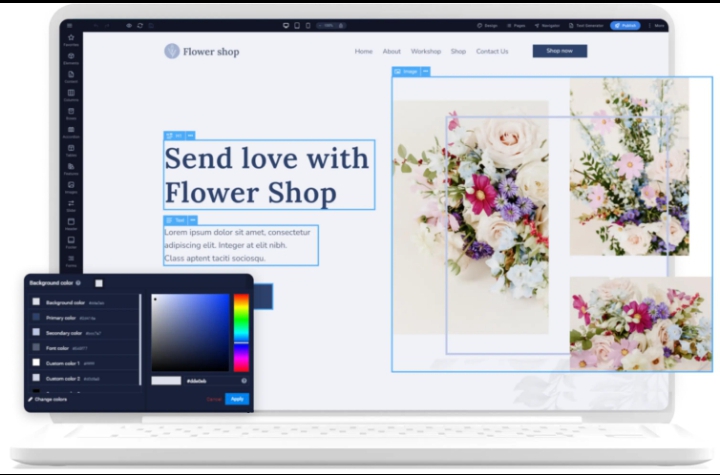
A website builder is a tool or platform that allows you to create a website without having to manually code every part of it.
Most website builders provide visual editors that allow users to add and customize elements such as:
- Text
- Images
- Buttons
- Menus
- Contact forms
- Videos
- Product sections
- Blog posts
Many platforms also provide templates that give your website a professionally designed starting point.
Instead of building everything from scratch, you can select a template, customize the content and design, and publish your website.
This makes website builders particularly useful for beginners who want to establish an online presence without spending months learning web development.
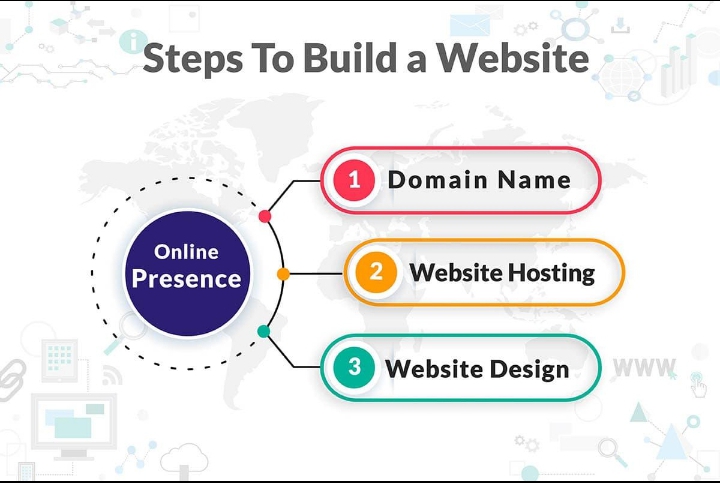
How Do Website Builders Work?
Website builders generally combine several technologies and services into one platform.
When you create a website, the platform may provide:
- Website hosting
- Design templates
- A visual editor
- Content management features
- Domain connection
- Security features
- Mobile optimization
- Website publishing tools
The exact features depend on the platform you choose.
Some website builders are designed for simplicity, while others provide advanced customization and greater control.
For example, a beginner may prefer a simple drag-and-drop platform, while someone who wants complete control over their website may choose a more flexible content management system.
Types of Website Builders
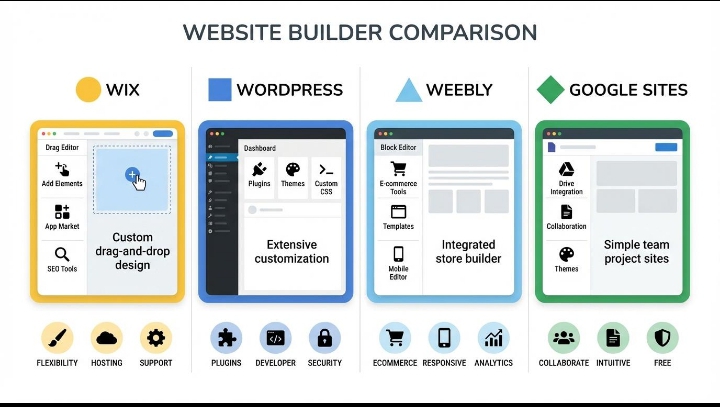
There isn’t just one type of website builder. Different platforms are designed for different purposes.
Drag-and-Drop Website Builders
Drag-and-drop builders allow you to visually construct pages by moving elements around the screen.
They are often beginner-friendly because you can see how your page looks while designing it.
Common features include:
- Visual editing
- Templates
- Custom sections
- Image galleries
- Buttons
- Forms
- Responsive design
These builders are suitable for beginners who want to create a website quickly.
Content Management Systems
A content management system, or CMS, allows you to create, organize, and manage website content.
CMS platforms can provide much greater flexibility than basic website builders.
They are especially useful for:
- Blogs
- Content websites
- Affiliate websites
- Business websites
- Large websites
A CMS may require more learning than a simple drag-and-drop builder, but it can provide more control as your website grows.
E-commerce Website Builders
E-commerce builders are designed specifically for businesses that want to sell products online.
They usually include features such as:
- Product pages
- Shopping carts
- Checkout systems
- Payment integrations
- Inventory management
- Order management
- Shipping options
If your primary goal is selling physical or digital products, an e-commerce-focused platform may be more appropriate than a basic website builder.
For a deeper comparison between online store platforms, you can also read Shopify vs WooCommerce: The Ultimate Comparison for 2026.
Why Are Website Builders Popular?
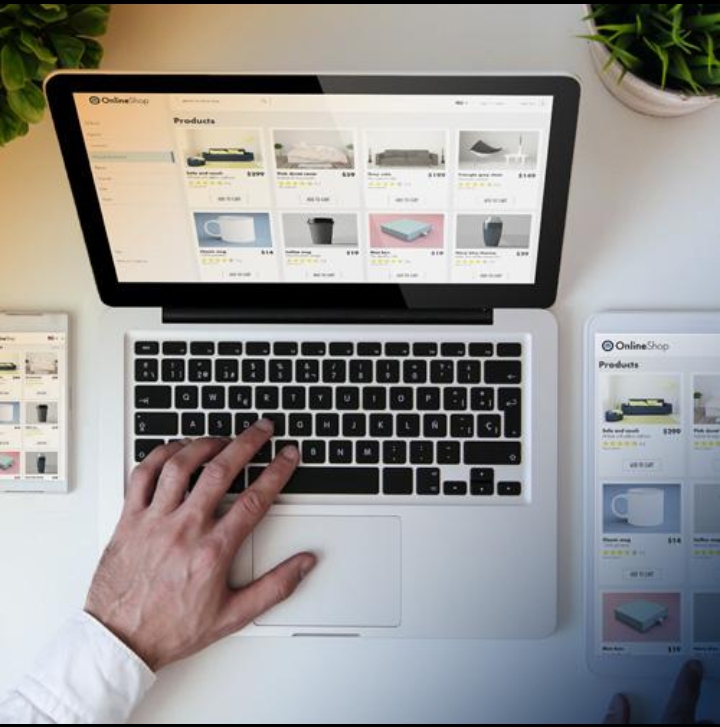
Website builders have become popular because they reduce the technical barriers associated with creating a website.
In the past, building a website could require knowledge of HTML, CSS, JavaScript, hosting configuration, databases, and other technical concepts.
Modern website builders simplify much of this process.
A beginner can often:
- Choose a template
- Add content
- Upload images
- Create pages
- Customize colors and fonts
- Connect a domain
- Publish the website
This makes website creation accessible to a much wider audience.
Benefits of Using a Website Builder
Easy for Beginners
One of the biggest advantages is ease of use.
You don’t necessarily need advanced coding knowledge to create a functional website.
Visual editors allow beginners to make changes without editing complicated code.
Faster Website Creation
A website builder can significantly reduce the amount of time needed to launch a website.
Instead of creating every design element from scratch, you can start with an existing template and customize it.
This is particularly useful if your priority is getting your website online and focusing on content and marketing.
Professional Templates
Most modern website builders offer professionally designed templates.
Templates can help you create a consistent visual identity without needing to be an expert designer.
You can usually customize:
- Colors
- Fonts
- Images
- Layouts
- Buttons
- Sections
Lower Technical Requirements
Website builders handle many technical aspects behind the scenes.
Depending on the platform, you may not need to manually configure:
- Hosting
- Security certificates
- Software updates
- Server settings
This allows beginners to focus more on their business and content.
Website Builders and Online Businesses
A website builder can be an important tool for an online business.
Your website can act as the central location for your:
- Content
- Products
- Services
- Affiliate recommendations
- Email signup forms
- Business information
For example, an affiliate marketing website can publish helpful articles that attract visitors from search engines and social media.
A professional website also gives visitors a place where they can learn more about your brand and explore your content.If you’re building an online business from a small budget, you may also want to read How to Start an Online Business with Little Money.
Website Builders: A Complete Guide for Beginners in 2026
Features to Look for in a Website Builder
Choosing a website builder should not be based only on how attractive its templates look. You should also consider the features that will help you manage, optimize, secure, and grow your website over time.
Here are some of the most important features beginners should consider.
SEO Features
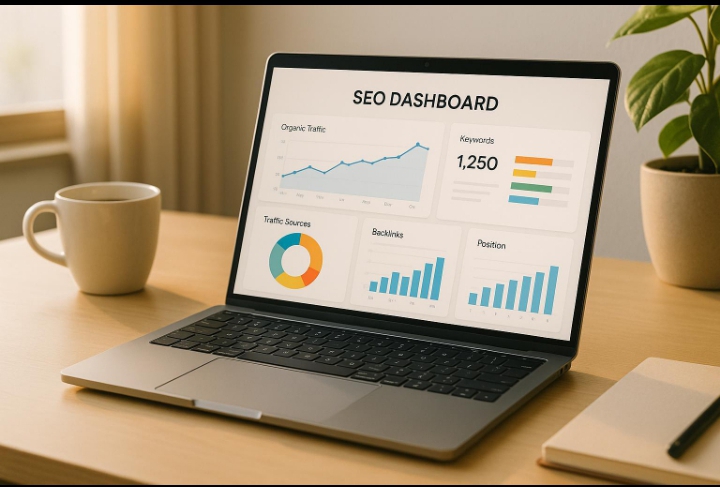
Search engine optimization is important if you want people to discover your website through Google and other search engines.
A good website builder should give you control over important SEO elements such as:
- Page titles
- Meta descriptions
- URLs
- Headings
- Image ALT text
- Internal links
- Sitemap
- Mobile optimization
Some platforms also provide SEO plugins or built-in optimization tools.
If your goal is to build an affiliate marketing or content website, strong SEO features should be one of your highest priorities.
You can also learn more about growing an online business through Online Business Tools Every Beginner Needs in 2026, which covers tools that can help with SEO, productivity, content creation, and other business activities.
Mobile Responsiveness
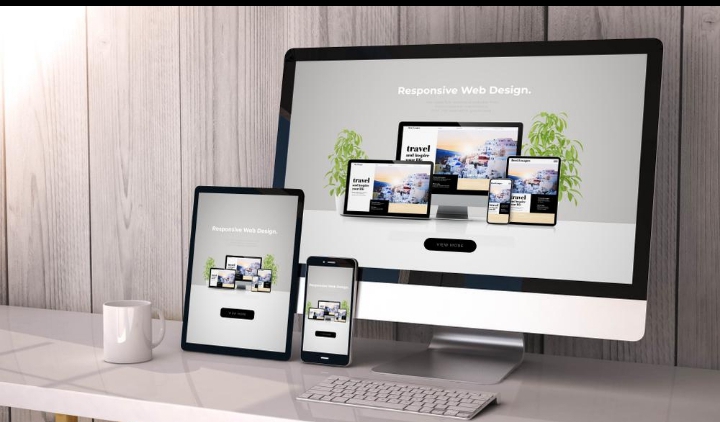
More people use smartphones to browse the internet, so your website needs to work properly on mobile devices.
A responsive website automatically adjusts its layout to different screen sizes.
Before choosing a website builder, check whether you can preview and customize your website for:
- Desktop
- Tablet
- Mobile
Important elements to check include:
- Text size
- Navigation menus
- Buttons
- Images
- Spacing
- Columns
- Page width
A website that looks excellent on desktop but is difficult to use on mobile can create a poor user experience.
Templates and Customization
Templates can save beginners a lot of time.
A good website builder should offer templates suitable for your specific type of website.
For example:
- Blog templates
- Business templates
- Portfolio templates
- E-commerce templates
- Magazine templates
- Landing page templates
However, don’t choose a platform only because it has attractive templates.
Make sure you can customize important elements such as colors, fonts, layouts, headers, footers, menus, and page sections.
Domain Name and Hosting
Your domain name is the address visitors use to access your website.
For example:
yourwebsite.com
Hosting is the service that stores your website’s files and makes them available online.
Some website builders include hosting as part of their plans, while other systems allow you to choose hosting separately.
Before choosing a platform, understand exactly what is included in the price.
Check whether the plan includes:
- Hosting
- SSL certificate
- Custom domain connection
- Storage
- Bandwidth
- Backups
Understanding these features can help you avoid unexpected costs later.
Website Security
Security should be a priority for every website owner.
A website builder should provide basic security features such as SSL/HTTPS and protection against common security threats.
If you’re using a self-hosted system, you may also need to manage:
- Security plugins
- Software updates
- Backups
- Login protection
- Malware monitoring
A secure website protects both your business and your visitors.
Website Speed
Website performance affects both user experience and potentially your search visibility.
Visitors don’t want to wait a long time for pages to load.
When evaluating a website builder, look for features that help improve performance, such as:
- Image optimization
- Caching
- Lightweight templates
- Content delivery options
- Clean code
- Performance monitoring
You should also avoid adding unnecessary plugins, animations, or large images that can slow down your website.
Blogging Features
If you plan to publish articles regularly, blogging functionality is extremely important.
A good blogging system should make it easy to:
- Create posts
- Organize categories
- Add tags
- Upload images
- Schedule content
- Edit URLs
- Add metadata
- Add internal links
For an SEO-focused website, your platform should also make it easy to structure content using headings and optimized images.
A strong blogging system can help you build organic traffic over time by consistently publishing useful content.
E-commerce Features
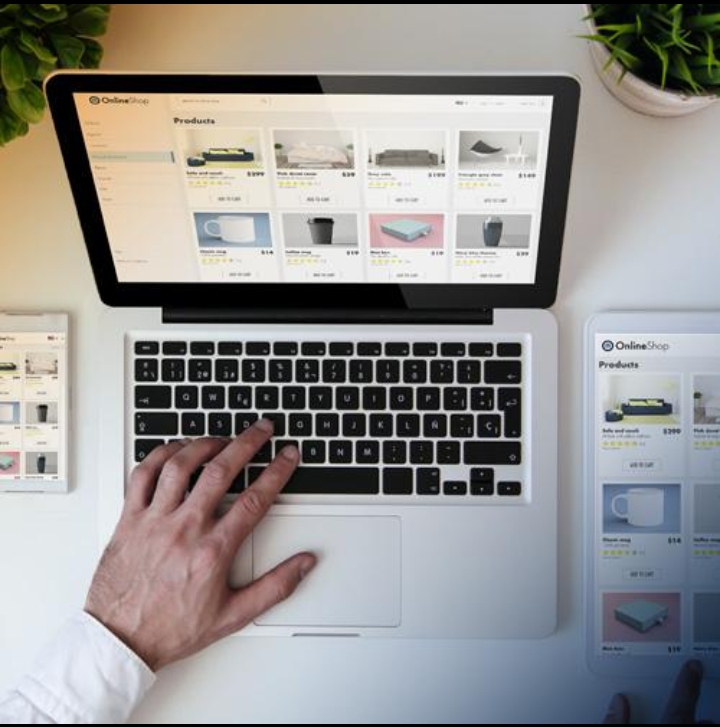
If your goal is to sell products, you need more than a basic website builder.
Look for e-commerce features such as:
- Product pages
- Shopping cart
- Secure checkout
- Payment methods
- Inventory management
- Order management
- Shipping options
- Discount codes
- Customer accounts
Different platforms specialize in different types of online stores.
For example, some are designed specifically for e-commerce, while others require additional plugins or integrations.
Free vs Paid Website Builders
Many website builders offer free plans, but free plans often come with limitations.
Free Website Builders
Free plans can be useful for learning and testing.
They may allow you to:
- Build basic pages
- Experiment with designs
- Learn the platform
- Test your website idea
However, free plans may include restrictions such as:
- Platform branding
- Limited storage
- Limited features
- A platform subdomain
- Fewer customization options
For a serious business website, these limitations can become a problem.
Paid Website Builders
Paid plans generally provide more features and greater control.
Depending on the platform, you may receive:
- Custom domain support
- More storage
- Better templates
- Advanced SEO features
- E-commerce tools
- Additional integrations
- Removal of platform branding
- Better support
You don’t necessarily need the most expensive plan.
Choose a plan based on your current requirements and upgrade when your business needs additional features.
How Much Does a Website Builder Cost?
The cost varies significantly depending on the platform and the type of website you’re creating.
Your total website expenses may include:
- Domain registration
- Hosting
- Website builder subscription
- Premium themes
- Plugins
- Security tools
- Email services
- E-commerce features
A simple personal website can cost relatively little, while a large e-commerce website can require a much larger budget.
Before purchasing a plan, calculate the total yearly cost, rather than looking only at the advertised monthly price.
What Makes a Website Builder Good for Beginners?
A beginner-friendly website builder should ideally provide:
- Easy setup
- Simple editing
- Professional templates
- Mobile responsiveness
- SEO controls
- Security
- Reliable hosting
- Good support
- Scalability
- Reasonable pricing
The most important thing is that the platform should make it easier for you to focus on your actual goal—whether that’s publishing content, selling products, building an audience, or growing an online business.
Website Builders: A Complete Guide for Beginners in 2026
Popular Website Builder Options for Beginners
There are many website-building platforms available today, but they are not all designed for the same purpose.
Some focus on simplicity, while others provide more flexibility, e-commerce features, or advanced customization.
Below are some of the most popular options beginners may consider.
WordPress
WordPress is one of the most flexible options for creating a website.
It can be used for:
- Blogs
- Affiliate websites
- Business websites
- News websites
- Online stores
- Portfolio websites
- Educational websites
One of the biggest advantages of WordPress is its large ecosystem of themes and plugins.
You can start with a simple website and add more functionality as your business grows.
For example, you can add SEO tools, contact forms, security features, analytics, e-commerce functionality, and page builders.
However, WordPress can require more management than some all-in-one website builders, especially when you’re responsible for hosting, plugins, themes, backups, and security.
For someone building a content-focused online business, however, the flexibility can be a major advantage.
Shopify
Shopify is primarily designed for e-commerce businesses.
It allows entrepreneurs to create online stores and manage products, orders, payments, and other aspects of selling online.
Shopify can be useful for businesses that want to focus heavily on selling physical or digital products.
Its strengths include:
- E-commerce functionality
- Product management
- Online checkout
- Payment integrations
- Store themes
- Inventory tools
- Business integrations
The platform is particularly attractive to people who want an e-commerce-focused system without managing many technical components themselves.
If you’re comparing Shopify with another popular option, see Shopify vs WooCommerce: The Ultimate Comparison for 2026.
Wix
Wix is a website-building platform designed to make website creation accessible to beginners.
Its visual editor allows users to create pages without needing advanced coding skills.
Wix can be used for:
- Small business websites
- Portfolios
- Blogs
- Landing pages
- Online stores
Its visual approach can be attractive to beginners who want to design pages themselves.
However, before choosing any platform, you should compare its SEO capabilities, pricing, flexibility, and long-term scalability with your specific needs.
Squarespace
Squarespace is known for professionally designed templates and a strong focus on visual presentation.
It can be suitable for:
- Portfolios
- Personal brands
- Creative businesses
- Small businesses
- Blogs
- Online stores
If visual design is particularly important to your business, professionally designed templates can help you create a polished online presence without designing everything from scratch.
Website Builders vs Content Management Systems
The terms “website builder” and “content management system” are sometimes used interchangeably, but they can describe different approaches.
A traditional website builder generally focuses on making website creation simple through visual tools.
A content management system provides tools for creating, organizing, and managing content while often allowing more customization.
Website Builder
Usually focuses on:
- Simplicity
- Visual editing
- Templates
- Quick setup
- Beginner-friendly management
Content Management System
Often focuses on:
- Content management
- Greater customization
- Extensions and plugins
- Advanced functionality
- Long-term flexibility
Neither approach is automatically better.
Choose the system that matches your technical ability, business goals, and willingness to manage the website.
Advantages of Website Builders
Website builders offer several benefits to beginners.
Easy to Use
You can create and edit pages without advanced coding knowledge.
Faster Setup
Templates and pre-built sections allow you to launch a website relatively quickly.
Professional Designs
Modern platforms provide many professionally designed templates.
Less Technical Maintenance
Depending on the platform, hosting, updates, and security may be managed for you.
Suitable for Different Websites
You can create blogs, business websites, portfolios, landing pages, and online stores.
Disadvantages of Website Builders
Website builders also have limitations.
Limited Customization on Some Platforms
Some platforms restrict how much you can change the underlying design or functionality.
Subscription Costs
Many hosted platforms charge recurring fees.
Platform Dependency
If you build your entire website inside a closed platform, moving to another system may require additional work.
Advanced Features May Cost More
Some useful features may only be available on higher-priced plans or through additional services.
Performance Can Vary
Poorly optimized templates, large images, unnecessary applications, or excessive design elements can affect loading speed.
Common Mistakes Beginners Make
Choosing a website builder is only the beginning. Beginners can still make mistakes that affect the performance and growth of their websites.
Choosing a Platform Only Because It Looks Good
A beautiful template isn’t enough.
Before choosing a platform, check:
- SEO capabilities
- Mobile responsiveness
- Speed
- Security
- Pricing
- Content management
- Scalability
- Export options
Your website needs to support your long-term goals, not just look attractive on the first day.
Choosing the Cheapest Option
Price is important, but the cheapest platform isn’t always the best choice.
A low-cost plan may have limitations that become frustrating when your website grows.
Consider the value of the platform rather than focusing only on the initial price.
Ignoring Mobile Design
Always test your website on a smartphone.
Check whether:
- Text is readable
- Buttons are easy to tap
- Images fit correctly
- Menus work properly
- Content has enough spacing
- Pages load efficiently
A large percentage of visitors may access your website from mobile devices.
Installing Too Many Features
Adding unnecessary plugins, applications, animations, or widgets can make your website more complicated.
Only add features that provide genuine value to visitors or improve your workflow.
Ignoring SEO From the Beginning
SEO should not be something you think about only after publishing dozens of articles.
Create a good foundation from the beginning.
Use descriptive URLs, logical headings, useful content, optimized images, internal links, and relevant metadata.
How to Choose the Right Website Builder
Before making your final decision, answer these questions.
What Type of Website Are You Building?
A blog, affiliate website, business website, portfolio, and online store may require different features.
What Is Your Budget?
Determine how much you can realistically spend on your website each year.
How Much Control Do You Want?
If you want maximum flexibility, you may prefer a system with extensive customization options.
If you prioritize simplicity, a managed website builder may be more convenient.
Do You Need E-commerce?
If you’re selling products, make sure the platform provides the necessary shopping, payment, and order-management features.
How Important Is SEO?
If organic traffic is an important part of your strategy, prioritize platforms that provide strong SEO controls.
Will Your Website Grow?
Choose a platform that can support your future needs.
You don’t want to rebuild your entire website simply because your original platform cannot handle your growing content or business.
Website Builders: A Complete Guide for Beginners in 2026
Best Website Builder for Different Beginners
There is no single website builder that is perfect for everyone. The best option depends on what you want to build, your technical skills, budget, and long-term goals.
Best for Content and Affiliate Websites
If your goal is to build a blog, affiliate marketing website, or content-focused business, choose a platform that gives you strong control over:
- SEO
- Blog posts
- Categories
- Internal linking
- Images
- Metadata
- Website structure
- Plugins or extensions
For content-heavy websites, flexibility and long-term control can be more important than having the simplest possible setup.
Best for Online Stores
If your primary goal is selling products, an e-commerce-focused platform can simplify product management, checkout, payments, inventory, and orders.
The right choice will depend on how much customization you need and how you want to manage your store.
Best for Small Business Websites
A small business that mainly needs pages such as Home, About, Services, Contact, and Blog may benefit from a simple website builder.
The priority should be a professional design, fast loading speed, mobile responsiveness, and easy content management.
Best for Portfolios
Designers, photographers, writers, and other creatives should prioritize visual presentation.
Look for a platform with attractive templates, flexible image galleries, portfolio layouts, and easy customization.
How to Launch a Website With a Website Builder
Once you’ve selected a platform, you can follow a simple process to build your website.
Step 1: Choose Your Website Purpose
Before designing anything, clearly define what your website is supposed to achieve.
For example:
- Build an audience
- Publish articles
- Promote affiliate products
- Sell products
- Showcase your work
- Generate business leads
Having a clear purpose makes it easier to choose the right features.
Step 2: Choose a Domain Name
Select a domain name that is:
- Easy to remember
- Simple to spell
- Relevant to your brand
- Professional
- Not unnecessarily long
A good domain can help visitors remember your website and build a consistent brand identity.
Step 3: Choose a Template or Design
Select a clean template that matches your website’s purpose.
Don’t overcrowd the design with unnecessary elements.
A professional website should have:
- Clear navigation
- Readable typography
- Consistent spacing
- High-quality images
- Strong headings
- Clear calls to action
Step 4: Create Essential Pages
Most professional websites should have several basic pages.
Depending on your website, these may include:
- Home
- About
- Contact
- Blog
- Privacy Policy
- Terms and Conditions
If you’re building an affiliate or monetized website, make sure your legal and disclosure information is clear and easy to find.
Step 5: Make the Website Mobile-Friendly
Open your website on a smartphone before publishing it.
Check every important page and make sure:
- Text is easy to read
- Buttons are easy to tap
- Images display correctly
- Menus work properly
- Sections don’t overlap
- Pages don’t require unnecessary horizontal scrolling
Mobile optimization should be part of the design process, not something you leave until the end.
Website Builder SEO Checklist
If organic search traffic is important to your business, use this basic SEO checklist.
1. Create Descriptive Page Titles
Every important page should have a clear title that accurately describes its content.
2. Write Useful Meta Descriptions
Create natural descriptions that explain what visitors can expect from the page.
3. Use Proper Headings
Organize content using logical H1, H2, and H3 headings.
4. Optimize Images
Use descriptive file names and useful ALT text for images.
5. Create Internal Links
Link related articles together naturally.
For example, this article can link to Online Business Tools Every Beginner Needs in 2026 when discussing tools needed to build and manage an online business.
6. Keep URLs Simple
Use short, descriptive URLs that clearly communicate the topic of each page.
7. Make Pages Mobile-Friendly
Search engines and visitors both benefit from websites that work well on mobile devices.
8. Improve Page Speed
Compress large images and avoid unnecessary scripts, plugins, and design elements.
9. Create Helpful Content
Don’t create articles only to target keywords.
Focus on answering real questions and providing useful information to your readers.
10. Monitor Your Website
Use reliable analytics and search tools to understand how visitors interact with your website and identify areas for improvement.
Website Security and Maintenance Checklist
Launching your website is not the end of the process.
You should regularly maintain it.
Important tasks include:
- Keep software updated
- Use strong passwords
- Enable two-factor authentication where available
- Maintain regular backups
- Monitor website security
- Remove unused plugins or extensions
- Check broken links
- Review important pages
- Test forms regularly
- Monitor website performance
Regular maintenance can prevent small problems from becoming major issues.
Frequently Asked Questions
Can Beginners Build a Website Without Coding?
Yes. Modern website builders allow beginners to create websites using visual editors and templates without writing large amounts of code.
However, learning basic HTML and CSS can still be useful as your website grows.
What Is the Easiest Website Builder for Beginners?
The easiest platform depends on your needs and technical experience.
A simple drag-and-drop builder may be easier for someone who wants a basic website quickly, while a more flexible platform may be better for someone planning to build a large content website.
The best choice is the platform that provides the right balance between simplicity, control, features, and cost.
Is a Free Website Builder Good for a Business?
A free plan can be useful for testing an idea or learning how a platform works.
For a serious business, however, a custom domain and professional features are usually preferable.
Free plans may include platform branding, limited storage, restricted customization, or a subdomain.
Do Website Builders Include Hosting?
Many hosted website builders include hosting in their plans.
Other systems may require you to purchase hosting separately.
Always check exactly what is included before choosing a platform.
Which Website Builder Is Best for SEO?
There isn’t one universal answer.
The important thing is whether the platform gives you sufficient control over SEO fundamentals such as page titles, descriptions, URLs, headings, images, internal links, mobile performance, and technical settings.
Your content quality and overall SEO strategy also matter greatly.
Can I Change My Website Builder Later?
Yes, but moving a website between platforms can require time and technical work.
Depending on the platforms involved, you may need to migrate:
- Content
- Images
- Pages
- URLs
- Products
- Customer data
- SEO settings
This is why it’s worth considering your long-term needs before choosing your platform.
Final Verdict
Website builders have made it much easier for beginners to establish a professional online presence in 2026.
You don’t necessarily need advanced coding skills to create a website. With the right platform, you can choose a template, customize your design, publish content, connect a domain, and begin building an audience.
However, the best website builder isn’t simply the one with the most templates or the cheapest price.
You should choose a platform based on your website purpose, SEO requirements, budget, technical skills, design preferences, and future growth plans.
For a simple business website, ease of use may be the most important factor.
For an e-commerce business, product management, payments, and checkout may matter more.
For an affiliate marketing or blogging website, SEO, content management, customization, and scalability should be high priorities.
The most important thing is to avoid choosing a platform based only on short-term convenience. Your website can become a major part of your online business, so think about where you want the business to be several years from now.
Conclusion

Website builders have transformed website creation by making it accessible to people who don’t have advanced technical knowledge.
Whether you want to create a blog, affiliate marketing website, online store, portfolio, or small business website, there are platforms available to help you get started.
The process begins with choosing a clear purpose and continues with selecting the right platform, domain, design, essential pages, SEO structure, and security practices.
Don’t feel pressured to build everything at once.
Start with the essential pages, publish useful content, make your website mobile-friendly, and improve the design and functionality as your audience grows.
If your goal is to build an online business, your website should be more than a collection of attractive pages. It should provide genuine value, make information easy to find, create a positive user experience, and support your long-term business goals.
With the right website builder and a consistent strategy, beginners can create a professional online presence and gradually turn their website into a valuable digital asset.