
Meta Description
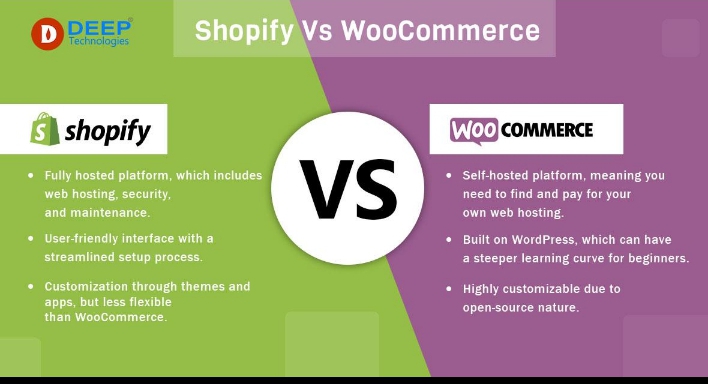
Trying to choose between Shopify and WooCommerce in 2026? Discover the key differences in pricing, ease of use, SEO, customization, security, and performance to find the best e-commerce platform for your online business.
Introduction
Choosing the right e-commerce platform is one of the most important decisions you’ll make when starting an online business. Your platform affects everything from website speed and search engine rankings to customer experience and long-term business growth.
“Shopify vs WooCommerce
Among the many e-commerce platforms available today, Shopify and WooCommerce remain the two most popular choices for beginners and experienced entrepreneurs alike. Both platforms allow you to create a professional online store, manage products, process payments, and sell to customers worldwide. However, they are built differently and offer unique advantages depending on your goals, budget, and technical skills.
Shopify is an all-in-one hosted solution that simplifies the process of launching an online store. WooCommerce, on the other hand, is a free WordPress plugin that gives you complete control over your website and its features.
“Shopify vs WooCommerce
So, which platform is better in 2026?
The answer depends on what you need. If you’re looking for an easy-to-manage solution with minimal technical work, Shopify may be the right choice. If you prefer flexibility, advanced customization, and greater control over your website, WooCommerce could be the better option.
In this comprehensive comparison, you’ll learn how Shopify and WooCommerce compare in terms of pricing, ease of use, customization, SEO, performance, security, payment options, scalability, and much more. By the end of this guide, you’ll have a clear understanding of which platform is best for your online business.
What Is Shopify?
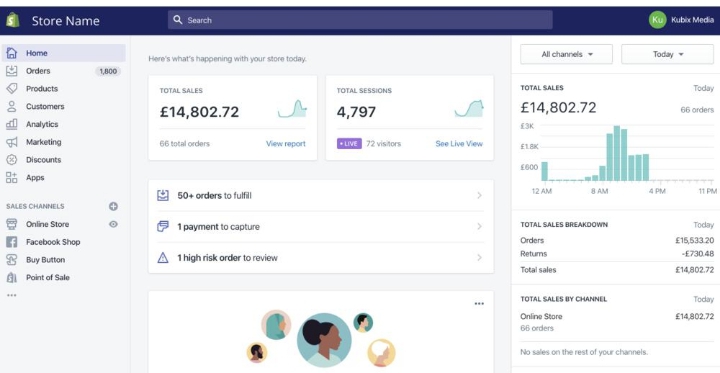
Shopify is a fully hosted e-commerce platform designed to help individuals and businesses create online stores without needing advanced technical knowledge. Since its launch in 2006, Shopify has become one of the world’s leading e-commerce solutions, powering millions of online stores across different industries.
Unlike self-hosted platforms, Shopify takes care of web hosting, software updates, website security, backups, and technical maintenance. This allows business owners to focus on selling products instead of managing servers or fixing technical issues.
One of Shopify’s biggest strengths is its user-friendly interface. Beginners can build a professional-looking online store using ready-made themes, drag-and-drop customization tools, and thousands of apps available in the Shopify App Store.
Key Features of Shopify
- Easy store setup
- Secure web hosting
- Free SSL certificate
- Mobile-friendly themes
- Built-in payment processing
- Large App Store
- Inventory management
- Marketing tools
- Analytics dashboard
- 24/7 customer support
These features make Shopify an excellent choice for entrepreneurs who want a simple and reliable platform to launch their online business quickly.
“Shopify vs WooCommerce
What Is WooCommerce?
WooCommerce is a powerful open-source e-commerce plugin built specifically for WordPress. Unlike Shopify, WooCommerce is not a standalone platform. Instead, it transforms a WordPress website into a fully functional online store.
WooCommerce is free to install, but you’ll need to purchase web hosting, register a domain name, and manage your own website. While this requires a little more setup, it also gives you complete ownership and flexibility.
One of WooCommerce’s biggest advantages is customization. Because it’s open source, you can modify almost every aspect of your online store, install thousands of plugins, and optimize your website exactly the way you want.
WooCommerce is especially popular among bloggers, affiliate marketers, and business owners who already use WordPress because it integrates seamlessly with existing websites.
Key Features of WooCommerce
- Free WordPress plugin
- Unlimited customization
- Thousands of themes
- Large plugin ecosystem
- Full SEO control
- No monthly platform fee
- Multiple payment gateways
- Complete ownership of website data
- Scalable for growing businesses
For users who want flexibility and advanced customization, WooCommerce is one of the best e-commerce solutions available today.
“Shopify vs WooCommerce
Shopify vs WooCommerce: Quick Overview
Before comparing individual features, it’s helpful to understand the biggest difference between these two platforms.
Shopify is a hosted platform, meaning everything you need—including hosting, security, software updates, and technical maintenance—is included in one monthly subscription.
WooCommerce is self-hosted, meaning you choose your own hosting provider, manage updates, and have full control over your website.
Neither option is universally better than the other. The right choice depends on your experience, budget, business goals, and how much control you want over your online store.
“Shopify vs WooCommerce
Ease of Use

When choosing an e-commerce platform, ease of use is one of the first factors to consider. A platform that’s easy to learn helps you launch your store faster and spend more time growing your business instead of solving technical problems.
“Shopify vs WooCommerce
Shopify: Built for Beginners
Shopify is designed with beginners in mind. After creating an account, you’re guided through a simple setup process that helps you add products, customize your store, and configure payment methods. Most tasks can be completed without writing a single line of code.
The dashboard is clean and intuitive, making it easy to manage orders, inventory, customers, and marketing campaigns from one place. Shopify also handles hosting, security updates, and backups automatically, reducing technical responsibilities.
For first-time store owners, this simplicity is one of Shopify’s biggest strengths.
WooCommerce: Greater Flexibility with More Setup
WooCommerce offers incredible flexibility, but it requires more initial setup. Before you can start selling, you’ll need to:
- Purchase a domain name
- Choose a hosting provider
- Install WordPress
- Install WooCommerce
- Configure your online store
Although the setup process is straightforward for many users, it can feel overwhelming for complete beginners. However, once everything is configured, WooCommerce provides complete control over your website.
Pricing Comparison
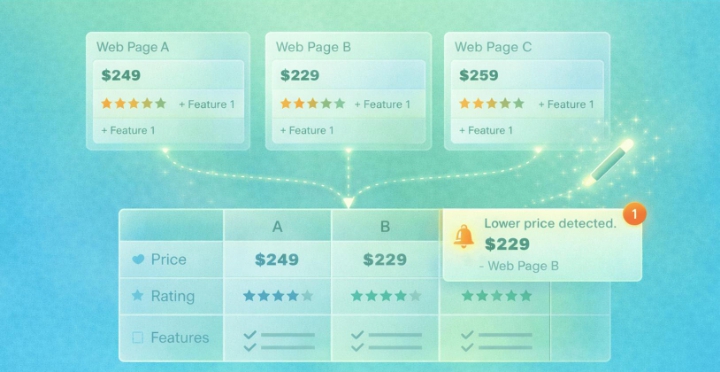
Budget plays an important role when choosing an e-commerce platform. While both Shopify and WooCommerce can be affordable, their pricing structures are very different.
Shopify Pricing
Shopify uses a monthly subscription model. Your monthly fee includes:
- Web hosting
- SSL certificate
- Security updates
- Website maintenance
- Customer support
This predictable pricing makes budgeting easier because most essential services are included in one package.
However, as your business grows, you may also spend money on premium themes, apps, and additional features.
WooCommerce Pricing
WooCommerce itself is free, but running a WooCommerce store comes with additional costs such as:
- Domain registration
- Web hosting
- Premium themes
- Paid plugins
- Website maintenance
Depending on your hosting provider and plugin choices, WooCommerce can be less expensive than Shopify—or it can become more expensive for larger stores with advanced requirements.
For many WordPress users, WooCommerce provides excellent value because they only pay for the features they actually need.
Design and Themes
Your website’s appearance directly affects customer trust and conversion rates.
Shopify Themes
Shopify provides professionally designed themes that look modern and perform well on desktop and mobile devices.
Most themes are optimized for speed, user experience, and online sales.
Even users without design experience can create attractive stores using Shopify’s theme editor.
WooCommerce Themes
WooCommerce works with thousands of WordPress themes.
This gives you significantly more design freedom than Shopify.
Whether you’re building a fashion store, electronics shop, digital product marketplace, or affiliate website, you can find themes that match almost any business style.
The ability to customize nearly every design element makes WooCommerce especially attractive to developers and advanced users.
Customization

Customization is one of the biggest differences between Shopify and WooCommerce.
Shopify Customization
Shopify allows users to customize layouts, colors, typography, and store features through themes and apps.
Although there are many customization options, Shopify still has certain limitations because it is a hosted platform.
Advanced changes sometimes require knowledge of Shopify’s Liquid programming language.
WooCommerce Customization
WooCommerce offers virtually unlimited customization.
Because it’s open-source software, you can modify every part of your website, including:
- Product pages
- Checkout process
- Navigation
- SEO settings
- Database functionality
- Store design
This flexibility makes WooCommerce an excellent choice for businesses planning long-term growth.
Performance and Website Speed
Website speed affects user experience, SEO rankings, and conversion rates.
Shopify Performance
Shopify manages hosting on optimized servers.
This means your website is generally fast without requiring technical optimization.
Features like built-in caching, CDN integration, and automatic performance improvements help stores load quickly.
WooCommerce Performance
WooCommerce performance depends largely on your hosting provider.
With quality hosting and proper optimization, WooCommerce websites can be extremely fast.
However, poor hosting or too many plugins may slow down your website.
For best results, choose reliable hosting and optimize images, caching, and database performance.
SEO Comparison
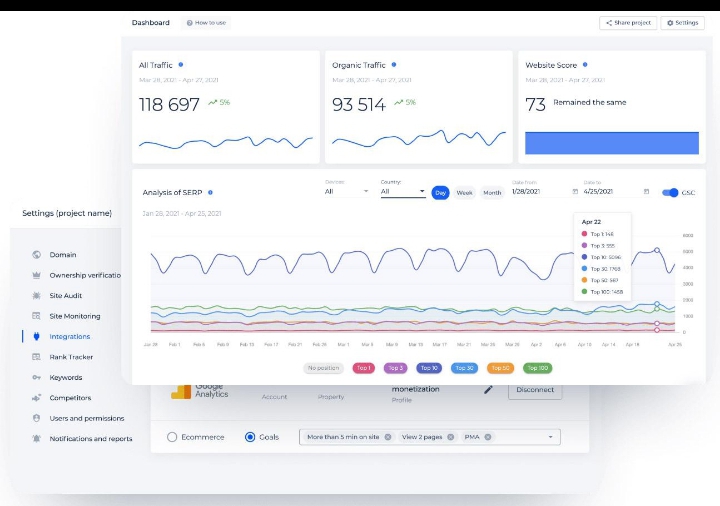
Search engine optimization is essential if you want to attract free traffic from Google.
Shopify SEO
Shopify includes many built-in SEO features such as:
- Editable title tags
- Meta descriptions
- XML sitemaps
- Mobile-friendly themes
- SSL security
- Clean URLs
These features make Shopify suitable for beginners who want solid SEO without much configuration.
WooCommerce SEO
WooCommerce is widely regarded as one of the best platforms for SEO because it works with WordPress.
Using plugins like Rank Math or Yoast SEO, you can optimize:
- Keywords
- Internal links
- Schema markup
- XML sitemaps
- Canonical URLs
- Image SEO
- Redirects
This level of control gives WooCommerce a slight advantage for users focused on long-term organic traffic.
Related Article: Online Business Tools Every Beginner Needs in 2026
Waa hagaag. Hoos waxaa ku qoran Part 3 oo si dabiici ah uga sii socda maqaalka.
Security
Security is one of the most important factors when running an online store. Customers trust your website with sensitive information such as payment details and personal data, so protecting that information is essential.
Shopify Security
One of Shopify’s biggest advantages is that security is fully managed for you.
Every Shopify store includes:
- Free SSL certificate
- PCI DSS compliance
- Automatic security updates
- Secure hosting
- Daily monitoring
- Fraud analysis tools
Because Shopify handles these technical responsibilities, beginners don’t have to worry about managing website security.
WooCommerce Security
WooCommerce is also secure, but you are responsible for maintaining your website.
Shopify vs WooCommerce
To keep your WooCommerce store safe, you should:
- Use reliable hosting
- Install security plugins
- Update WordPress regularly
- Update themes and plugins
- Create regular backups
- Use strong passwords
With proper maintenance, WooCommerce can be just as secure as Shopify.
Payment Gateways

A smooth checkout process improves customer satisfaction and increases sales.
Shopify Payment Options
Shopify supports many popular payment gateways, including:
- Shopify Payments
- PayPal
- Stripe
- Apple Pay
- Google Pay
Setting up payments is simple, allowing you to accept online payments quickly.
WooCommerce Payment Options
WooCommerce also supports many payment providers, such as:
- PayPal
- Stripe
- Square
- Bank Transfer
- Cash on Delivery
Thanks to its open-source nature, WooCommerce offers more flexibility if you need regional or custom payment solutions.
Apps and Plugins
Adding extra features helps your online store grow as your business expands.
Shopify App Store
Shopify offers thousands of apps that can help you:
- Improve SEO
- Increase sales
- Recover abandoned carts
- Manage inventory
- Add live chat
- Automate email marketing
Most apps are easy to install and require no coding.
WooCommerce Plugins
WooCommerce benefits from the massive WordPress plugin ecosystem.
Popular plugins include:
- Rank Math SEO
- Yoast SEO
- Elementor
- WP Rocket
- WooPayments
- MailPoet
With thousands of free and premium plugins available, WooCommerce gives you almost unlimited possibilities.
Customer Support
Reliable customer support can save time when technical issues arise.
Shopify Support
Shopify provides 24/7 customer support through:
- Live Chat
- Help Center
- Community Forums
This is especially valuable for beginners who may need quick assistance.
WooCommerce Support
WooCommerce does not provide centralized 24/7 support.
Instead, support depends on:
- Your hosting provider
- Theme developers
- Plugin developers
- WordPress community forums
Although there is extensive documentation available, solving complex issues may take longer.
Scalability
Your platform should grow alongside your business.
Shopify Scalability
Shopify is designed to handle businesses of all sizes.
Whether you receive ten orders per month or ten thousand, Shopify’s infrastructure can support your growth without requiring server management.
This makes it ideal for businesses planning rapid expansion.
WooCommerce Scalability
WooCommerce is also highly scalable.
However, as your website grows, you may need to:
- Upgrade hosting
- Optimize your database
- Improve caching
- Upgrade server resources
Businesses with technical experience often appreciate this flexibility because they maintain complete control over performance.
Shopify Pros and Cons
Advantages
- Extremely beginner-friendly
- Fast setup process
- Managed hosting
- Automatic security updates
- Excellent customer support
- Reliable performance
- Professional themes
Disadvantages
- Monthly subscription fees
- Some premium apps require additional payments
- Less customization than WooCommerce
- Limited control over server settings
WooCommerce Pros and Cons
Advantages
- Free software
- Complete customization
- Excellent SEO capabilities
- Thousands of plugins
- Full ownership of website data
- Works perfectly with WordPress
Disadvantages
- Requires separate hosting
- More technical setup
- Security maintenance is your responsibility
- Plugin conflicts may occasionally occur
Shopify vs WooCommerce Comparison Table
| Feature | Shopify | WooCommerce |
|---|---|---|
| Ease of Use | Excellent | Very Good |
| Pricing | Monthly Subscription | Free Plugin (Hosting Required) |
| SEO | Excellent | Excellent (More Advanced) |
| Security | Fully Managed | Self-Managed |
| Customization | High | Unlimited |
| Hosting | Included | Separate |
| Customer Support | 24/7 | Community & Hosting Support |
| Best For | Beginners | WordPress Users |
Related Article: E-commerce vs Traditional Business: Full Comparison for Beginners in 2026
Which Platform Should You Choose?
Choosing between Shopify and WooCommerce depends on your business goals, technical experience, and budget. Both platforms are excellent, but they serve different types of users.
If you’re completely new to e-commerce and want the fastest way to launch a professional online store, Shopify is an excellent choice. It takes care of hosting, security, updates, and technical maintenance, allowing you to focus on selling products and growing your business.
On the other hand, if you already use WordPress or want complete control over your website, WooCommerce is likely the better option. It offers greater flexibility, advanced customization, and powerful SEO capabilities, making it ideal for long-term growth.
If you’re still learning the basics of online selling, you may also find our guide on E-commerce Online Business Explained helpful before deciding which platform fits your needs.
Which Platform Is Best for Different Types of Businesses?
Best for Beginners
If you have little or no technical experience, Shopify provides the easiest learning curve. You can create an online store in a short time without worrying about website maintenance.
Best for Bloggers
WooCommerce integrates perfectly with WordPress, making it an excellent choice for bloggers who want to add an online store to an existing website.
Best for SEO
WooCommerce offers greater control over SEO settings. Combined with WordPress SEO plugins, it allows you to optimize every page for better search engine rankings.
If your goal is to increase free traffic from Google, don’t forget to read Online Business Tools Every Beginner Needs in 2026, where you’ll discover essential SEO and analytics tools for growing your website.
Best for Business Growth
Both platforms can support growing businesses. Shopify simplifies scaling by managing the technical side of your website, while WooCommerce allows unlimited customization as your business expands.
Frequently Asked Questions
Is Shopify better than WooCommerce for beginners?
Yes. Shopify is generally easier for beginners because hosting, security, updates, and technical maintenance are included.
Is WooCommerce better for SEO?
WooCommerce gives users more control over SEO, especially when combined with WordPress optimization plugins and high-quality content.
Which platform costs less?
WooCommerce software is free, but you’ll pay separately for hosting, your domain, and optional premium plugins. Shopify combines many of these services into a monthly subscription, making costs more predictable.
Can I switch from Shopify to WooCommerce later?
Yes. Many businesses migrate between platforms as their needs change, although the migration process may require planning and careful data transfer.
Which platform is best for long-term business?
Both platforms are excellent for long-term growth. Shopify is ideal for entrepreneurs who want simplicity, while WooCommerce is better for users who want complete ownership and flexibility.
Final Verdict
There is no single “best” platform for every business.
Shopify vs WooCommerce
Choose Shopify if you want:
- Quick setup
- Beginner-friendly interface
- Managed hosting
- Automatic security updates
- Reliable customer support
Choose WooCommerce if you want:
- Complete customization
- Full website ownership
- Advanced SEO control
- Lower long-term software costs
- Maximum flexibility
Before launching your online store, it’s also worth reading How to Start an Online Business with Little Money, which explains practical strategies for building a successful online business even with a limited budget.
For entrepreneurs planning to generate income through product recommendations, our guide Affiliate Marketing Explained for Beginners: 10 Proven Steps to Success can help you understand how affiliate marketing works alongside an e-commerce business.
To learn how successful online stores attract visitors without relying entirely on paid advertising, you should also explore Pinterest Marketing for Beginners: Get Free Traffic Fast.
Whenever you need accurate platform information, always refer to the official Shopify and WooCommerce documentation, as it contains the latest features, pricing, and setup guides.
Conclusion

Shopify and WooCommerce are both outstanding e-commerce platforms that can help you build a successful online business in 2026. The right choice depends on your experience, business goals, and the level of control you want over your website.
If you value simplicity, speed, and convenience, Shopify is an excellent solution. If flexibility, customization, and advanced SEO are your priorities, WooCommerce remains one of the strongest e-commerce platforms available.
Whichever platform you choose, success ultimately depends on creating valuable content, offering quality products, providing an excellent customer experience, and consistently improving your marketing strategy. By focusing on these fundamentals, you’ll be well-positioned to grow a profitable online store in 2026 and beyond.
SEO Title
Shopify vs WooCommerce: The Ultimate Comparison for 2026 – Which Platform Is Better?
Meta Description
Compare Shopify vs WooCommerce in this complete 2026 guide. Learn the differences in pricing, SEO, ease of use, customization, security, performance, and discover which e-commerce platform is best for your online business.